DJI Phantom 3

Millions can't pay their car loans. Here's what to do if you're one of them


Millions can't pay their car loans. Here's what to do if you're one of them

If you've skipped a car payment or two recently -- or you worry you might have to miss an upcoming one -- you're not alone. Due to the coronavirus recession and record levels of unemployment, over 7% of all car loans in the US are currently in some sort of deferment program, according to recent data released by credit reporting agency TransUnion.

Typically, missing a car payment can damage your credit score or even lead to the bank repossessing your vehicle. However, in the wake of the recent economic turmoil brought on by the coronavirus pandemic, most lenders have streamlined their financial hardship programs and are willing to be a bit forgiving if you just ask for help.

But just like the help available with rent payments and unemployment benefits, you do have to ask. The worst thing you can do is ignore the problem and assume it'll work itself out on its own. (Scroll to the end for what else you should absolutely not do.)

Here's a look at the most current information and resources we could locate to help you deal with your car payment. We'll continue to update this story as new details emerge.

First, see what assistance your lender has to offer

You'll want to know what kinds of programs your bank, credit union or other auto loan provider may have available to you. Also, if there are any state laws that might offer some protections against repossession, you'll want to find out about those, too. 

Here are the most comprehensive resources we've been able to turn up to help with both. (If you don't see your lender on any of those lists, try contacting the company directly through its website or app.)

011-asheville-nc-reopening-phase-2-small-businesses-tourist-town-coronavirus

As businesses like this soda and candy shop in Asheville, North Carolina, start to reopen, you can bet repossession companies will be back to work, too.

Sarah Tew/CNET

Most repos occur after two or three months of no payments

If you've fallen behind (or you think you're going to fall behind) on your car payment for 90 days or longer, you may very well be at risk of having your car repossessed. Your lender may be more lenient if you've never missed a payment before, but the more often you've been late in the past, the sooner they might attempt repossession. 

One way around this, however, is a deferment or forbearance program.

What are auto loan deferment programs and how do they work?

Under normal circumstances, most lenders will report a late payment to the credit bureaus once it's at least 30 days overdue, and they'll typically come to take your vehicle away after you've missed three or more payments in a row. 

A deferment or forbearance allows you to skip between one and three payments with no late fees or penalties. After the deferment period ends, either your monthly payment will either go up slightly or your loan will be extended by about the same amount of time as the deferment.  

On the downside, interest will continue to accrue during the months you skip your payment, so you'll end up paying more for your vehicle in the long run. But on the plus side, your missed payments will not show up as negative marks on your credit report, so your credit score shouldn't take a hit.

How to talk to your bank about your options 

Most lenders' programs have been streamlined to be pretty simple to apply for. Fill out a form, possibly attach some documentation (termination letter, layoff notice, etc.), send it off to your lender and wait for an approval confirmation. If your bank doesn't have it set up that easy and you have no idea where to begin, the legal services website DoNotPay has a chatbot that can help you draft a letter to your lender.

That said, you can probably handle this on your own. Just be honest and forthcoming about your situation and realistic about how much time you'll need to get back on your feet. Generally speaking, banks would rather work with you and retain you as a customer than leave you stranded without a vehicle.

2017 Ford Escape

Ford is currently offering to pay six months' worth of new vehicle payments when you purchase a new car from the company.

Wayne Cunningham/CNET

What normally happens when you miss a car payment?

In most states, a lender, like your bank, can start the repossession process the day after you miss even just one payment, but most companies give their customers a grace period. Often the lender won't even charge a late fee until the payment is at least 10 days late, and most won't report it to the three major credit bureaus until it's over 30 days late. 

If you go past 30 days delinquent -- and especially if you miss the next two payments in your loan cycle as well -- that's where you start treading into repossession, or repo, territory. 

How repossession works 

In most cases, your lender will contract with a third-party agency that specializes in repossessions. That company will use whatever information it can get -- your home and work addresses, for example -- to track down the vehicle and tow it to a secured, usually gated lot. It does not need your car keys to take your car. 

The repo company will then charge your bank for towing the vehicle, as well as a daily storage fee, usually around $25 to $75 per day. Unless you happened to have left your keys in the car, the repo company will also contract a locksmith to make a new set of keys -- then charge your bank for that service, too. When all is said and done, you'll owe anywhere from a few hundred to over a thousand dollars in charges, which you'll still be liable for whether you get your car out of repo or not. 

road-trip-nissan-leaf-electric-car-17.jpg

If you quit paying your car payment, eventually a vehicle recovery service will come tow your car.

Andrew Hoyle/CNET

Are car repossession companies even open right now?

The auto repossession industry never quite figured out whether repo companies, many of which laid off dozens of employees early on in the pandemic, were even allowed to operate in areas under strict shelter-in-place orders. The Association of Credit and Collection Professionals, a lobbying group for debt collectors, has argued that debt collection is an essential service, but lawmakers have yet to chime in.

However, as most US cities are far along in the process of reopening and orders shuttering nonessential businesses have mostly been lifted, you can probably bet that repo companies will be up and running as soon as they can be.

Your rights vs. the bank's rights 

In pretty much every instance your bank does not need a court order to attempt to repossess your car. You can view a list of every state's specific automobile repossession laws here, but generally speaking, your lending institution (or a company it hires) has the right to come onto your property and take the car so long as no one commits a "breach of the peace."

That means its representatives can't break into a locked garage, through a locked gate or otherwise use physical force against you or your property to take possession of your vehicle. They can, however, follow you to work, for example, or the grocery store, and wait until you leave your car unattended. 

How to get your car out of repo -- and what happens if you don't 

What if it's too late and your car has already been repoed? Many states have laws on the books about how long and under what conditions lenders must allow you the opportunity to get your vehicle back, but the terms aren't exactly favorable, especially if you're in the kind of financial situation that led to repo in the first place.

Generally, the law only compels lenders to release your car if you pay off the loan plus any towing and storage charges that have accrued. In practice, however, most lenders are willing to give your car back if you can at least catch up with your late payments (and, of course, even up with the repo company as well). 

cash funds running out of money change dollars wallet empty

One option if you're struggling to pay your car payment is to try and sell your car for cash to pay off the loan, but that won't work if you owe more than the car is worth.

Sarah Tew/CNET

If you leave your vehicle in repo, either because you can't afford to get it out or you just decide it's not worth it, you're still not completely off the hook. The bank will likely auction off your car to the highest bidder, then apply the revenue from that sale to your remaining balance, including repossession charges. If that doesn't cover your entire debt, the bank can come after you for the remainder, including handing your account over to a collection agency and reporting the delinquency to the credit bureaus. 

You have a few wild-card options as well 

If you're at risk of having your car or truck repossessed, there are other options available besides deferment, but none quite as simple or easy. You could do what's called a "voluntary repossession," where you contact your lender and indicate your desire to turn your vehicle over to it. Your credit will take a hit and you'll be liable for any outstanding debt the bank fails to recoup at auction, but the overall impact to both your credit score and pocketbook will be less than if you wait for the bank to forcibly repo your car.

You can refinance your car for a lengthier loan term with a lower monthly payment, but that will only work if you've already paid off a substantial amount of the principal. If you've only had your car loan for a year or two, you might actually still owe more than it's worth. Also, your credit has to be good enough for a bank to underwrite a new loan for you, which may or may not be the case anymore. 

You could also try to sell your car on the open market, or trade it in for something less expensive, but again, with the economy now in a full-blown recession, neither of these options seems very compelling.

What you absolutely should not do 

Whatever you do, don't try to hide your car from your bank or the repo company. For one, you're probably not going to beat them at their own game, and the longer it takes to find it (and the more difficult you make it), the more they're going to charge you for their services in the end. 

iowa-stop-sign

Stop! Don't just sit back and wait until the bank repos your car. Be proactive and ask and your lender may be able to help.

Shara Tibken/CNET

And don't just stop paying your loan and hope for the best. Whether or not lawmakers decide the repo industry performs an "essential" function, or if the repo man has to wait for a treatment or vaccine like the rest of us before getting back to work, eventually your delinquency will catch up with you. With banks demonstrating some compassion right now for those who've suffered financial hardship, you might as well take advantage of one of their relief programs while you can. 

Chances are if you're worried about making your car payment, you have other bills keeping you up at night, too. Here's what you need to know about rent relief during the pandemic, as well as what assistance is available if you have a mortgage. For taxes, credit cards and everything else, here's what other financial help is available.

The editorial content on this page is based solely on objective, independent assessments by our writers and is not influenced by advertising or partnerships. It has not been provided or commissioned by any third party. However, we may receive compensation when you click on links to products or services offered by our partners.


Source

Tags:


Save $75 on Samsung's Sleek Galaxy Watch 4 Today Only at Best Buy


Save $75 on Samsung's Sleek Galaxy Watch 4 Today Only at Best Buy

The market for smartwatches is growing fast, and there's no longer a single true "best" model out there. It all depends on your needs and the other devices you regularly use. And if you're an Android phone user, the Galaxy Watch 4 is the one to beat right now. It was named one of our favorite smartwatches for 2022, and today only at Best Buy, you can pick up Samsung's advanced wearable starting at just $225, $75 off the usual price. This deal is only available until 9:59 p.m. PT (12:59 a.m. ET) tonight

If you're an Android user, the compatibility and convenience of the Galaxy Watch 4 can't be beat. It provides real-time alerts for any calls, texts, emails or other notifications, and thanks to its Android OS, it's also compatible with a variety of Google Play apps. It's packed full of helpful health and fitness monitors, including heart rate, blood-oxygen levels, sleep patterns and even a built-in ECG function. The Galaxy Watch 4 is also compatible with both Google Assistant and Bixby, Samsung's own virtual assistant. It boasts a battery life of between one and two days, and it's totally water-resistant up to 164 feet. 

"I can't think of any Android watch that's as well-made and full-featured as the Watch 4," CNET's Scott Stein said in his Galaxy Watch 4 review.

The smaller 40mm model is on sale for $225, while the larger 44mm model is available for $255.

Read moreBest Smartwatch for 2022


Source

Tags:


My Solution to Lost AirPods: Apple Needs to Add AirTags' U1 Chip


My Solution to Lost AirPods: Apple Needs to Add AirTags' U1 Chip

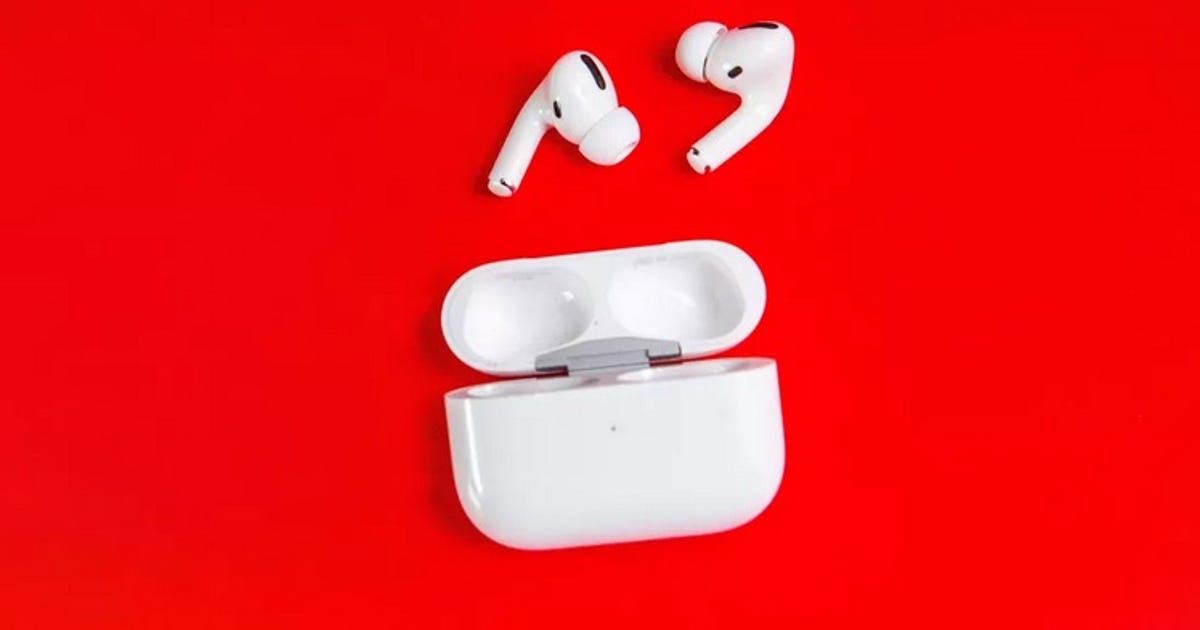
The points of praise for Apple's AirPods and AirPods Pro are easy to find: simple pairing with Apple devices, solid battery life, lightweight case, good mic performance for calls. Even the design, once ridiculed, has aged well and no longer looks out of place. 

One thing that's really bad, though, is how hard it is to find these small white buds or their pocketable case when they are inevitably lost. 

As someone who has been an AirPods and AirPods Pro user for years, I can't count how many times I've misplaced my buds. I'm not a particularly forgetful person and would like to think I do a fine job keeping track of my devices, in general. 

AirPods, however, are just a different animal, as I experienced yet again on Thursday morning. I completely forgot where I left them, so I opened the Find My app on my iPhone 13 Pro Max, thinking I could ping them. 

Mistake No. 1: Apple's Find My App is great for finding missing iPhones, iPads, Macs or AirTags. It can be horrendous for finding AirPods.

The app showed that they were in my apartment, which was certainly reassuring as it meant I didn't lose them while walking to play basketball at a nearby gym the night before. (Apple does have a "notify when left behind" feature that's nice, but not applicable to my situation.) At times, though, that is the only bit of useful information the app provides. 

Tapping "play a sound" did nothing as AirPods in the case can't always play audio — and it can be incredibly hard to hear when they do. Apple has a "Find Nearby" option for AirPods, but that can be similarly worthless for finding encased buds since the connection to other devices isn't consistently active. 

Apple AirPods and an iPhone open to the Notify When Left Behind screen

You can get an alert when you leave the AirPods behind, which is helpful if you left them somewhere away from home.

Stephen Beacham/CNET

If one bud is lost, this actually can be useful as it uses Bluetooth, so it can help guide you in the right direction and the sound played from the AirPods is noticeably louder. In this instance, however, not so much. Unlike with the iPhone, iPad, AirTags, Apple Watches or the Mac, Apple's Find My app also doesn't show a battery life indicator for AirPods... so you have no idea how much charge remains before even those hints disappear

I spent over an hour and a half turning my apartment inside out trying to find them. I searched through boxes, checked every pocket, looked inside the couch cushions, lifted said couch and emptied out my laundry bag. Nothing. 

After giving up all hope and stepping away from searching to do some work, they miraculously reappeared under the couch as I was putting the room back together. 

Read more:  10 AirPods Pro Tricks You Should Be Taking Advantage of Every Day

While my latest episode had a happy ending, looking through Twitter I see I am far from alone in losing Apple's earbuds. A cursory search for "lost AirPods" finds countless examples of others sharing similar frustrations. 

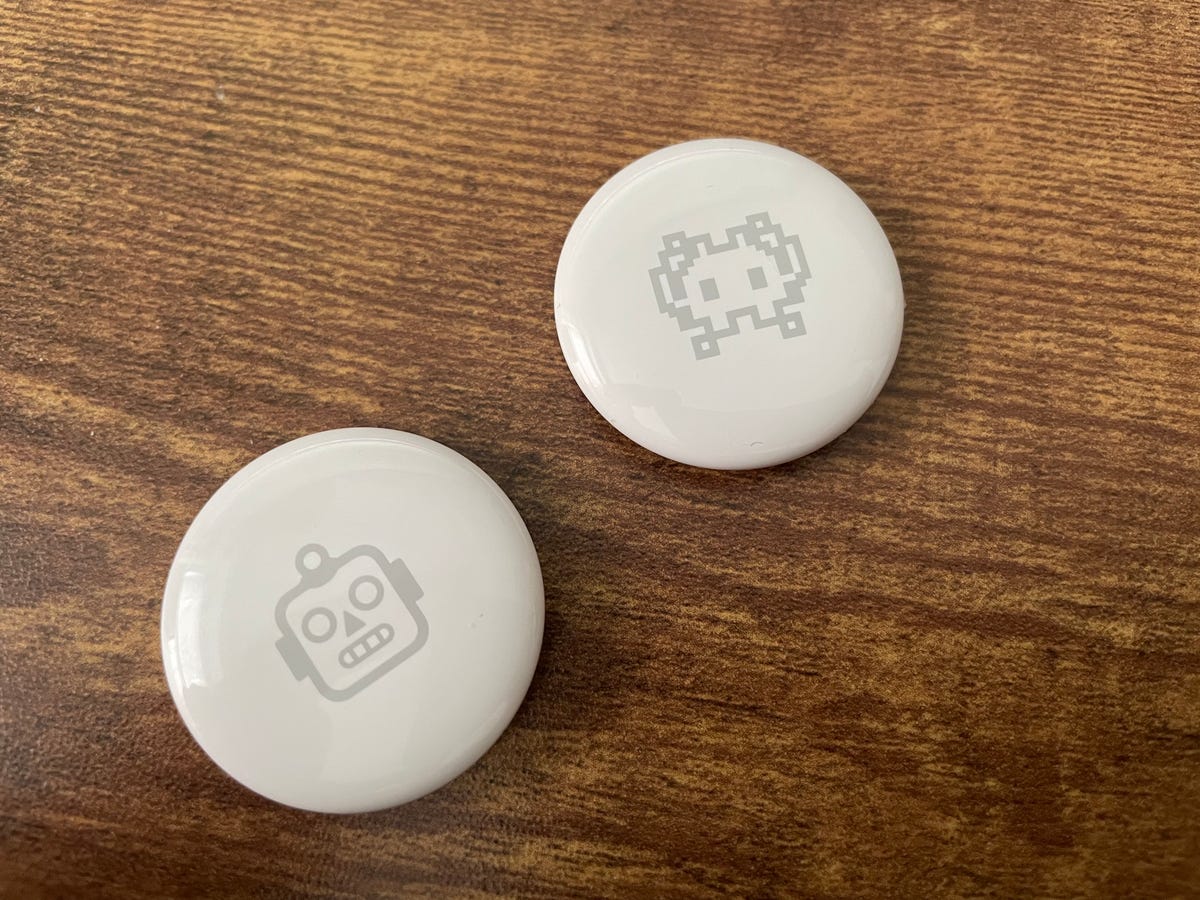
A pair of AirTags

AirTags to the rescue. 

Apple

As rumors persist that Apple has a new version of AirPods Pro in the works for late 2022, I have a simple request: Apple, please put a U1 chip inside them so we can find the damn things more easily. 

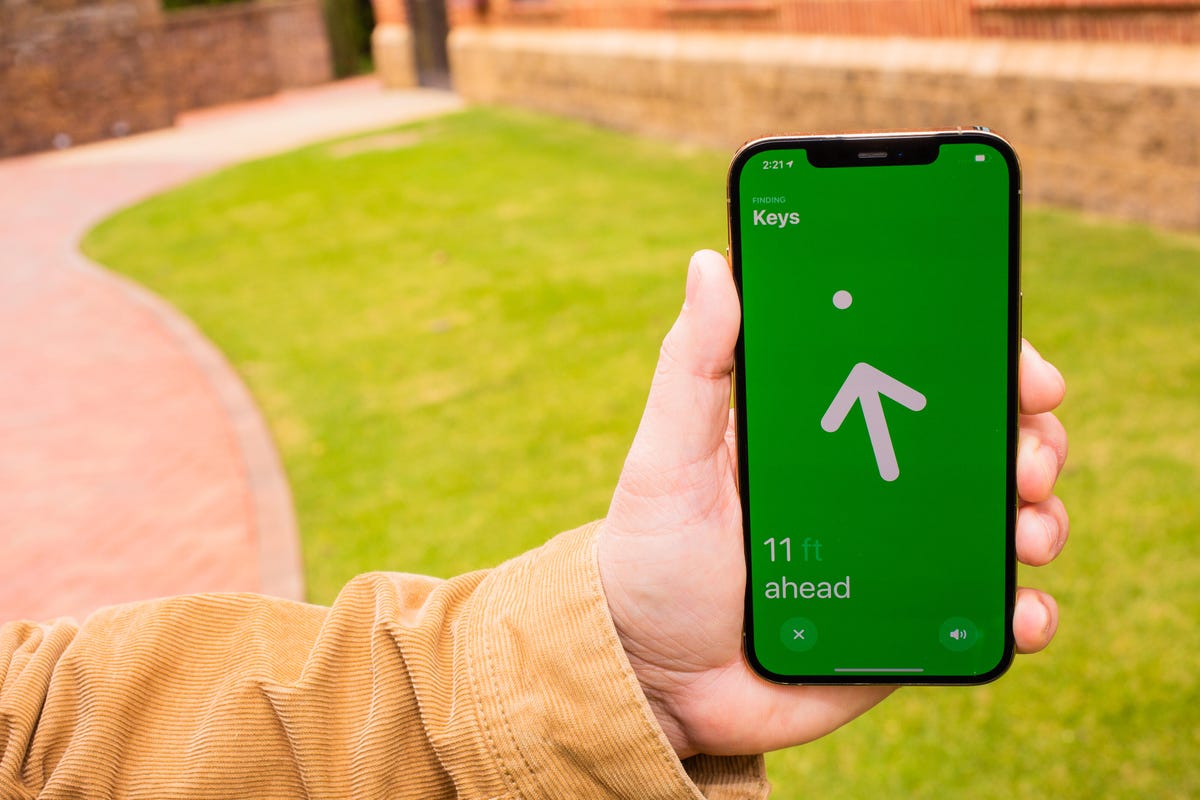
Found in its AirTags, the U1 chip uses a technology known as ultra wideband (UWB) that allows for what Apple has called "precision finding." This is how AirTags not only let you know if something is nearby but also show an arrow pointing you in the right direction and show how many feet away the AirTag is if you have a compatible iPhone (an iPhone 11 or later, excluding the iPhone SE 3). 

As my colleague Stephen Shankland has noted, UWB can calculate locations to "within less than a half inch by measuring how long it takes super-short radio pulses to travel between devices."

iPhone screen showing an arrow pointing to an AirTag

Imagine this level of precision for finding AirPods. 

Sarah Tew/CNET

As anyone who has ever misplaced AirPods could likely attest, this would be a world of improvement better than Apple's current system for finding AirPods. Throw in the ability to work on the company's Find My network, and lost AirPods left behind in a park or on a bus might no longer be gone forever. 

Yes, I know there are some third-party cases that allow you to attach an AirTag to your AirPods, but it's time to go a step further. Add this chip into the AirPods charging case and finding missing headphones will become so much easier. If Apple can somehow squeeze a version of this technology into the actual buds, all the better, but at the very least start with putting one in the case. 

When Apple first introduced the U1 chip with the iPhone 11, it teased that the technology was "going to lead to amazing new capabilities." This may not qualify as new, but putting the chip into AirPods would certainly, to me at least, be amazing. 


Source

Tags:


Huawei Mate 30 Pro review: Sublime camera, disastrous software


Huawei Mate 30 Pro review: Sublime camera, disastrous software


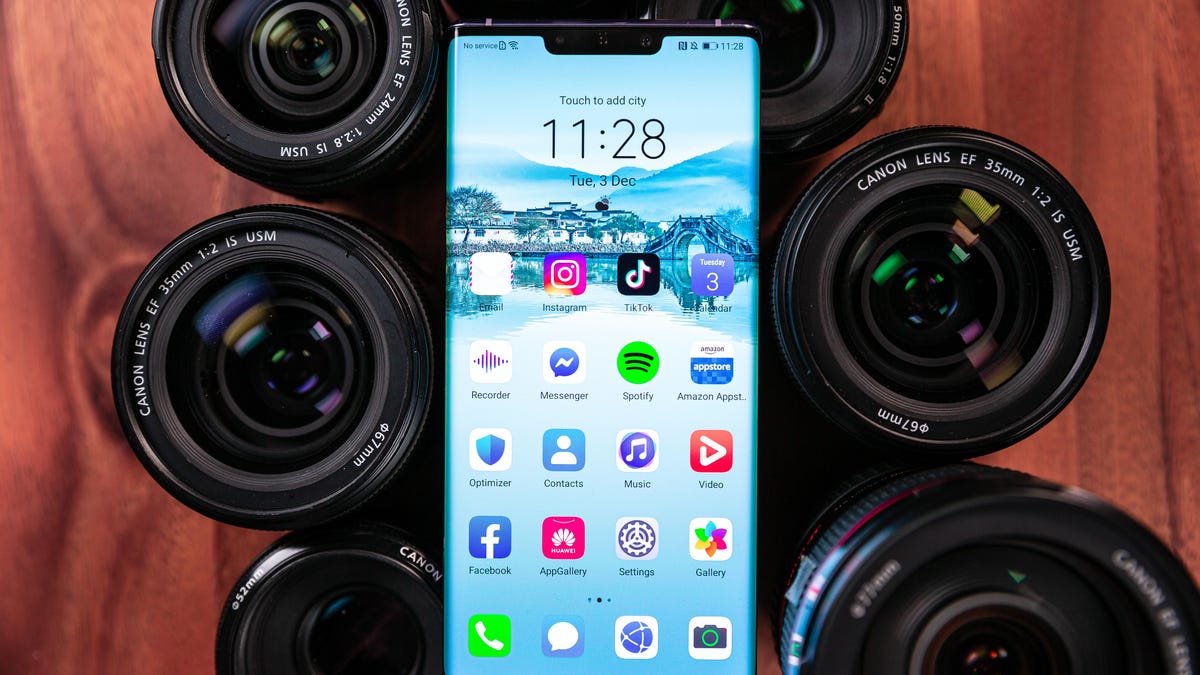
Huawei started 2019 strong with the excellent P30 Pro phone, but things went downhill from there. Due to concerns that its equipment could be used to spy on the US and other companies, the Chinese tech giant has been banned from using technology from US companies. As a result, it can't license Google Mobile Services. The Mate 30 Pro, its latest flagship, has no Google Play Store, and no apps like Google Maps, Gmail and YouTube. 

It has the striking appearance of a futuristic slab of aluminum and glass, but I knew I was in for a rough ride just moments after booting up the Mate 30 Pro. Entering the AppGallery, Huawei's version of the Google Play Store, I was encouraged to download some of its most popular apps: Weibo, WeChat and the China Drama Channel. It quickly became clear that Huawei doesn't have much to offer its non-Chinese customers.

One question has enshrouded the Mate 30 Pro since Huawei's tech ban: Can Huawei, a huge, powerful company with deep resources, find a way to neutralize the loss of Google? 

The answer, unfortunately, is no.

The Mate 30 Pro is an exceptional piece of hardware. Its quad-camera setup shoots outstanding photos (sometimes better than the iPhone 11 Pro) a dazzling 6.53-inch waterfall display is the centerpiece of an inspired design, and its 4,500-mAh battery goes and goes and goes. But the fiasco that is Android without full Google support makes it impossible to recommend. 

Even more galling is the Mate 30 Pro's price. The phone starts at AU$1,599 in Australia, which converts to $1,100 or £830. (No availability has been announced for either the US or UK.) Yes, it's a premium phone and premium parts ain't cheap. But as a proposition to you, the buyer, that much money for a partially functioning phone is preposterous. 

Huawei tries Android without all of Google

Since Android 10 itself is open-source, the Mate 30 Pro still runs Google's most recent operating system fine. But since Google Mobile Services requires a license, Huawei has no access to the Google Play Store or any of Google's apps. 

Instead, you'll use Huawei's AppGallery, which the company says has over 45,000 apps. That sounds like a lot, but I could count the useful apps in the AppGallery on one hand.

There's no Facebook, Instagram, WhatsApp, Netflix, Disney Plus or Reddit. You won't find Google apps, like Gmail, Maps or YouTube. (You can log into Gmail through Huawei's native email app, though.) Even if you do install Google apps by downloading their APKs -- the Android equivalent of Windows' .exe files -- they won't work without authentication from Google Mobile Services. Uber doesn't work either, since the ride-sharing app runs Google Maps. Losing Google's suite of apps is devastating; losing almost every useful app in the Google Play Store is debilitating. 

Huawei's AppGallery has over 45,000 apps. You'll find few of them useful.

Ian Knighton/CNET

Of all the apps I download onto every new phone, only one was available: Spotify. When I tried to find Spotify in the AppGallery a week later, however, it appeared to have been pulled. TikTok (which is owned by Chinese company Bytedance) was available at first, then disappeared and then appeared again. 

To get around the software obstructions I downloaded APKs from assorted websites. It was a dodgy process, and worked inconsistently. Some apps ran fine, others crashed after a few moments and others still didn't work at all.

It was a total mess.

Huawei Mate 30 Pro's camera credentials

If Huawei phones have been known for one thing, it's cameras. Huawei beat competitors to the punch with dual-lens cameras (P9), a dedicated Night Mode (P20 Pro) and 5x optical zoom (P30 Pro). Photography is undoubtedly the Mate 30 Pro's greatest strength.

The phone has a fantastic quad-camera setup. The main shooter has 40 megapixels. Then there's an 8-megapixel telephoto lens, which has a 3x optical zoom and 30x digital zoom; a 40-megapixel ultrawide-angle lens; and there's a 3D "time-of-flight" sensor that helps with depth perception.

The Mate 30 Pro has less zoom capability than Huawei's current flagship the P30 Pro, which has 5x optical and 50x digital. But it has a bigger, better ultrawide-angle sensor over the P30 Pro. This is a worthwhile trade, because I find ultrawide-angle capability much more useful than better zoom functionality. 

Some Portrait shots give the subject brushed, lightened skin.

Daniel Van Boom/CNET

Others work better.

Daniel Van Boom/CNET

The Mate 30 Pro's quad-camera setup generally captures crisp, vibrant shots. 

Daniel Van Boom/CNET

See that fountain all the way in the back? 

Daniel Van Boom/CNET

Here it is, shot with 30x zoom. 

Daniel Van Boom/CNET

Photography isn't perfect. Thanks to heavy software processing, skin can look artificially brushed in Portrait shots. This processing also makes Night Mode superfluous: Low-light shots capture an impressive amount of light, and toggling on Night Mode often results in overkill. I didn't have the option to shoot a dark photo even when I wanted to because the scene is brightened with software by default. 

But despite these issues, the Mate 30 Pro has one of the best camera setups on any Android phone. Photos generally look spectacular, with rich color and crisp detail. 

And Huawei packed in another innovative trick, but this time for the video camera. The Mate 30 Pro features stupefying slow-motion capabilities. There are four options: 4x, 8x, 32x, 64x and an astonishing 256x. That 256x option uses AI software to slow things down to 7,680 frames per second. 

Slow-motion cameras need more light, so you'll need a reasonably bright environment to take advantage of ultra-slow-mo. And since 256x slow motion makes 25 seconds out of one-tenth of a second, you'll need good timing to shoot the split second you want in slow-mo. But I found the feature super fun to play around with. It makes something as little as a water splash look spectacular. 

Good parts, bad phone

In regards to hardware, the Mate 30 Pro is luxurious in every aspect.

Its 6.53-inch, 2,400x1,176x-pixel screen is beautiful, bright and crisp. Its OLED screen is a waterfall display, meaning it wraps around the side of the phone all the way to the aluminum back. Videos and browsing were a joy, and the glass body felt more luxe to hold than aluminum. The downside is that there are no volume buttons, so I had to tap the side of the display to activate an on-screen volume slider instead. This generally works OK, but makes quick volume changes more cumbersome than they need be.

Powered by Huawei's own Kirin 990 processor and 8GB of RAM, the Android heavyweight felt silky smooth to use. But where the Mate 30 Pro really shines is battery life. Running it through CNET's battery test -- turning the phone on Airplane mode and looping an HD video -- it lasted 24 hours, 12 minutes. That's crazy. 

The best phone you shouldn't buy.

Ian Knighton/CNET

I wish I could say that the Kirin 990 CPU also scored well on Geekbench 5, a benchmark we run to test a processor's efficiency. Saying it performed well would be a safe bet but, after downloading the APK for Geekbench 5 from four different sites, the app never worked. I could try searching for more Geekbench APKs, but I think this anecdote is an apt encapsulation of the Huawei Mate 30 Pro.

It's a beautiful device with powerful parts and a sublime camera. But its software situation is a disaster. Don't buy this phone. 

Originally published Dec. 17.
Update, Dec. 28: Adds video review, comparison to iPhone 11 Pro camera.

Huawei Mate 30 Pro


Huawei Mate 30 Pro Google Pixel 4 XL Samsung Galaxy Note 10 OnePlus 7T iPhone 11 Pro
Display size, resolution 6.53-inch OLED 6.3-inch OLED 6.3-inch AMOLED; 2,280x1,080 pixels 6.55-inch AMOLED; 2,400x1,080-pixels 5.8-inch OLED Super Retina XDR; 2,436x1,125 pixels
Pixel density 409ppi 537ppi 401ppi 402ppi 458ppi
Dimensions (Inches) 6.22 x 2.88 x 0.35 in 2.9x6.3x0.3 in 5.94x2.83x0.31 in 6.34x2.93x0.32 in 5.67x2.81x0.32 in
Dimensions (Millimeters) 158.1x73.1x8.8 mm 75.1x160.4x8.2 mm 151x71.8x7.9 mm 160.94x74.44x8.13 mm 144x71.4x8.1 mm
Weight (Ounces, Grams) 6.98 oz; 198g 6.8 oz; 193g 5.93 oz; 168g 6.70 oz; 190g 6.63 oz; 188g
Mobile software Android 10 with EMUI Android 10 Android 9 Pie Android 10 with OxygenOS iOS 13
Camera 40 megapixel (standard), 8 megapixel (telephoto), 40 megapixel (ultrawide-angle), 3D ToF sensor 12.2-megapixel (standard), 16-megapixel (telephoto) 12-megapixel (wide-angle), 16-megapixel (ultra-wide angle), 12-megapixel (telephoto) 48-megapixel (standard), 12-megapixel (telephoto), 16-megapixel (ultra wide-angle) 12-megapixel (wide), 12-megapixel (ultra-wide), 12-megapixel (telephoto)
Front-facing camera 32 megapixel, 3D ToF sensor 8-megapixel 10-megapixel 16-megapixel 12-megapixel
Video capture 4K 4K 4K 4K 4K
Processor Kirin 990 2.84GHz octa-core Qualcomm Snapdragon 855 Qualcomm Snapdragon 855 processor, or Samsung Exynos 9825 2.96GHz octa-core Qualcomm Snapdragon 855+ Apple A13 Bionic
Storage 128GB, 256GB 64GB, 128GB 256GB 128GB 64GB, 256GB, 512GB
RAM 8GB 6GB 8GB 8GB Not disclosed
Expandable storage Up to 256GB No No No No
Battery 4,500-mAh 3,700-mAh 3,500-mAh 3,800-mAh Not disclosed, but Apple claims it will last 4 hours longer than iPhone XS
Fingerprint sensor In-screen No In-screen In-screen No
Connector USB-C USB-C USB-C USB-C Lightning
Headphone jack No No No No No
Special features Up to 256x slow motion; wireless charging; reverse charging; IP68 resistance; dual-SIM; waterfall display Soli motion sensing and touchless gestures; 90Hz display; water resistant (IP68); dual-SIM capabilities (nano-SIM and e-SIM); wireless charging S Pen stylus; Wireless PowerShare; hole punch screen notch; water resistant (IP68) 90Hz display; dual-SIM; Warp Charge 30T Water resistant (IP68); dual-SIM capabilities (nano-SIM and e-SIM); wireless charging
Price off-contract (USD) Converted: About $1,100 $899 (64GB), $999 (128GB) $949 $599 $999 (64GB), $1,149 (256GB), $1,349 (512GB)
Price (GBP) Converted: About £830 £829 (64GB), £929 (128GB) £899 Converted: About £485 £1,049 (64GB), £1,199 (256GB), £1,399 (512GB)
Price (AUD) AU$1,599 AU$1,279 (64GB), AU$1,429 (128GB) AU$1,499 Converted: About AU$890 AU$1,749 (64GB), AU$1,999 (256GB), AU$2,349 (512GB)

Source

Tags:


Make way for Matter, the smart home's would-be skeleton key


Make way for Matter, the smart home's would-be skeleton key

At Wednesday's Alexa Live 2021 event, Amazon confirmed that its Echo lineup of speakers and smart displays will soon support Matter, a new, universal smart home standard. The product of a multiyear joint effort with other industry titans, including Apple, Google and Samsung, Matter aims to help your smart home devices play a little nicer together -- and soon, the majority of Echo, Echo Dot, Echo Plus, Echo Studio and Echo Show devices already in people's homes will sync up with the standard via a software update.

The news follows similar curtain-lifts from Google and Apple, each of which announced respective support for Matter in Android and in iOS earlier this year. Together with buy-in from Amazon, it all seems to set the stage for Matter to make a splashy debut in the coming months. It likely won't be long before you start seeing the Matter logo featured prominently on the product packaging for a wide variety of the gadgets that want a place in your home. 

Matter smart home device certification logo

The Matter logo signifies smart-home devices that are certified to get along well with each other and with the Amazon Alexa, Apple Siri and Google Assistant voice control systems.

Connectivity Standards Alliance; illustration by Stephen Shankland/CNET

Matter's potential popularity stems from the appeal of its pitch: a single, IP-based, open-source standard that works over Wi-Fi, supports all major control platforms, and acts like a universal language that smart home devices can use to connect with and understand each other. Think USB, but wireless. After all, the Internet of Things ought to be like the internet -- platform-agnostic and 99% the same, regardless of which device or operating system you're using to access it.

That's the ideal, anyway. At the same WWDC presentation where Apple announced that Matter would make its way to iOS 15, the company also showcased newly opened third-party Siri access that lets you trigger and talk to Apple's AI assistant from devices like the voice-activated Ecobee thermostat. The catch is that you'll still need an Apple HomePod Mini (or the discontinued, full-size HomePod) on your Wi-Fi network to do localized speech processing and security authentication. Let that be a reminder as Matter draws near: The big tech companies might be willing to share the cockpit in your connected home, but they're each going to want a hand on the steering wheel, and that can make for a jerky ride.

Still, smoothing out bumps like those -- while keeping big tech in firm control of the category -- might be Matter's mass effect on the smart home. The three inward-pointing arrows that make up the perhaps soon-to-be ubiquitous Matter logo might as well represent Amazon, Apple and Google, each one focused in on a common center -- and each fixed in place at the center of the action. With Matter, you could move into a home or apartment with preinstalled smart gadgets and have a much easier time controlling them however you like: Apple HomeKit, Google Assistant, Amazon Alexa, Samsung SmartThings, take your pick. And, if you're an Android user who lives with roommates or family members who prefer iOS, Matter might help your smart home harmonize a little better, too.

"It's not just another light bulb standard," said Amazon's Chris DeCenzo, a principal engineer for the smart home, as he outlined the company's goal of making Matter relevant by finding new and practical ways of putting it to use. One of the first areas of focus: smarter smart TVs.

"The industry is really a mess of different protocols," DeCenzo explained, before going on to describe how Matter might be able to help standardize TV voice controls or improve casting performance. There are a number of TV manufacturers already on board with Matter via the Connectivity Standards Alliance, DeCenzo notes.

That's not to say that you should expect the smart home experience to be vastly different than before. These companies are still fierce competitors seeking to outdo each other with new products and features. Their incentive is to differentiate, not to share. Matter won't let you access Apple TV's HomeKit camera controls and multiview interface on a Fire TV Stick or a Chromecast, for instance. And devices like Philips Hue bulbs that communicate using Zigbee, Z-Wave or some other low-powered alternative to Wi-Fi will still need a bridge connected to your network in order to put Matter to work, so don't expect that ugly mess of pucks and hubs on your router shelf to disappear, either.

Where Matter should make the biggest impact is with developers, no doubt exhausted after a decade spent jumping through hoops to keep their devices up to date with the ever-shifting demands of each of the platforms their customers care about. (Imagine a busy restaurant with cooks who all speak different languages, while the waitstaff has to work to understand everyone and get food to the right customers.) With Matter, those device-makers will be able to develop around a single standard that brings all of the big names into play. That's a much lighter lift, and one that could free up time and resources that could be better spent developing better devices in the first place.

So, does Matter matter? The answer is undoubtedly "yes" -- even setting the smart home aside, it's a noteworthy thing when big tech circles the wagons and agrees to baseline standards involving security and data privacy. And while the smart home will never be truly seamless, Matter would seem to be a much better framework for the current landscape, one that's dotted with devices from whatever manufacturer had the best Black Friday sale, and controlled by whichever big tech company you're most comfortable (or least uncomfortable) sharing your home with. Matter won't change that smart home status quo, but it could reinforce it in ways that help the category accelerate. You might say it's just a matter of time.

§

Apple has axed its original HomePod and will turn its attention to the smaller version of its smart home assistant, the HomePod Mini, the company said Friday. 

"We are discontinuing the original HomePod, it will continue to be available while supplies last through the Apple Online Store, Apple Retail Stores and Apple Authorized Resellers," Apple said in a statement. "We are focusing our efforts on HomePod mini."

Read more: Apple HomePod Mini features you should know about: Every tip and trick we've found

Apple will continue providing existing HomePods with software updates and support through Apple Care, the company said.

The HomePod Mini was launched in November last year, costing $99 in comparison with the $300 HomePod original. When it was released in 2018, CNET reviewer Megan Wollerton praised its "stellar" sound but said it didn't offer as many features as competing speakers powered by Amazon's Alexa and Google's Assistant. "If you and everyone else you live with has an Apple device and you're sold on having an Apple smart home, the HomePod is worth a close look," she wrote at the time. 

The HomePod Mini earned similarly strong praise from CNET reviewer Molly Price for its sound when it was released in 2020, with a note that the lower price made it much more attractive. "The HomePod Mini is as on-par as Apple wants to make it with Google and Amazon's offerings, and I'd recommend it to anyone invested in the Apple universe," she wrote.

The news about the original HomePod's demise was reported earlier Friday by TechCrunch.


Source

Tags:


6 Tips to Use if You Want to Fall Asleep Faster


6 Tips to Use if You Want to Fall Asleep Faster

How did you sleep last night? The question typically goes one of two ways -- well enough or terrible. On nights when you can't seem to fall asleep, you'll do just about anything to make it happen. And sometimes, counting sheep doesn't cut it. Use these six tips to fall asleep easier each night. 

1. Use breathing techniques 

CNET Sleep Tips logo

Don't worry if you don't fall asleep immediately when you slip between the sheets. For most people, it takes 15 to 20 minutes to fall asleep. Breathing techniques are an effective way to relieve stress and relax. Some methods -- like 4-7-8 breathing -- are specifically designed to help you sleep better

There are also guided meditation apps designed to help you sleep. Popular apps like Calm and Headspace have guided meditations that can help you drift off to sleep. Calm has celebrity sleep stories that feature favorites like Harry Styles, Matthew McConaughey and Emma Thompson. 

2. Get out of bed

This one seems counterintuitive, but trust me. If you are awake after 20 minutes of trying to fall asleep, it's best to get out of bed. The last thing you want to do is associate your bed with scrolling through social media or watching TV. You want to save your bed for sleep.

Get out of bed and do something that relaxes you -- maybe that's light yoga or reading a book or listening to music. You want to avoid screens as much as possible. You shouldn't get back in bed until you are tired enough to fall asleep. 

3. Adjust the temperature of your bedroom

Research shows that the best temperature for sleep is between 60 and 67 degrees Fahrenheit. When your room is too warm, it can impact your body's natural thermoregulation process and keep you awake. 

If you are lying in bed and can't seem to fall asleep, check the temperature in your room. Then, don't jump right back in bed after you adjust the temperature. Let the room get cooler before you try to go back to sleep. 

4. Try a white noise machine

If you're easily distracted by sounds -- like road noises or a family member who is still awake, you may want to try a white noise machine. White noise machines help you sleep by replacing intrusive noises with consistent calming ones -- think babbling brooks and rain. You can also opt for true white noise, which encompasses all the frequencies the ear can hear. 

Man having a late night snack in front of an open refrigerator
Getty Images/domoyega

5. Be careful with the nighttime snack

When you can't fall asleep and get out of bed, it's easy to wander to the refrigerator and see what's inside. It's better to skip that late-night snack. However, if you need to eat, be careful what you choose. You want to avoid foods that are loaded with sugars or processed carbohydrates. 

Some foods contain melatonin and can help you sleep. These include milk, almonds and kiwis. As a rule, you want foods with slow-digesting proteins, like yogurt and peanut butter, or high-fiber carbs like whole grains, fruits and vegetables.

6. Consider a new mattress

Mattresses don't last forever . Typically, they have a lifespan of about seven to eight years. After that point, they stop giving you the comfort and support you need to get a good night's sleep. If you notice that you aren't getting quality sleep regularly, your mattress might be to blame. 

Key signs you need a new mattress

  • You have trouble falling asleep at night.
  • Your back hurts when you wake up. 
  • If your mattress is sagging or asymmetrical. Look for lumps of impressions of where you sleep. 
  • Your mattress is loud -- it groans and pops when you toss and turn. 

The information contained in this article is for educational and informational purposes only and is not intended as health or medical advice. Always consult a physician or other qualified health provider regarding any questions you may have about a medical condition or health objectives.


Source

Tags:


Hackers Target Ukrainian Military, Journalists on Facebook


Hackers Target Ukrainian Military, Journalists on Facebook

Facebook's parent company Meta said late Sunday that hackers are increasingly targeting Ukrainian military officials and journalists to spread disinformation. Hackers tied to an operation known as "Ghostwriter" compromised some Ukrainian Facebook accounts, but Meta said it wasn't naming the victims to protect their privacy.

"We detected attempts to target people on Facebook and post YouTube videos portraying Ukrainian troops as weak and surrendering to Russia," said David Agranovich, director of global threat disruption at Meta, at a virtual press conference. 

The threats underscores the variety of challenges social media companies face as they try to combat false claims about Russia's invasion of Ukraine. Meta added features in Ukraine meant to keep users safe such as the ability to lock their Facebook profile and remove the ability to view and search friends lists. The company, like Twitter, is encouraging users to enable two-factor authentication, an extra layer of security that makes it tougher for hackers to break into accounts.

Ghostwriter typically targets people through email first through tactics such as trying to trick people into clicking on a malicious link to steal their login credentials, Agranovich said. After compromising a target's email, they will then break into people's social media accounts and use those accounts to post disinformation. 

Nathaniel Gleicher, who heads Meta's security policy, said as social media users take steps to protect their accounts, they should also think about how their information could get compromised on other apps and devices. Gleicher said Ghostwriter targeted a "small number" of Facebook users but the group is going after valuable targets such as public figures.

Mandiant Threat Intelligence, which has done research on Ghostwriter, said in a report published last year that it found evidence that suggests the operation has ties to a suspected state-sponsored cyber espionage actor called UNC1151. In November, Mandiant Threat Intelligence linked UNC1151 to the Belarusian government.

"We cannot rule out Russian contributions to either UNC1151 or Ghostwriter. However, at this time, we have not uncovered direct evidence of such contributions," Mandiant Threat Intelligence said in a blog post.

The European Union said in a press release in September that some EU member states have associated Ghostwriter with the Russian state. 

Meta also pulled down a network of about 40 fake accounts, Pages and Groups on Facebook and Instagram from Russia and Ukraine. The accounts targeted Ukrainians across multiple social networks including on Twitter, YouTube, Telegram, Odnoklassniki and VK. These fake accounts pretended to be news editors, a former aviation engineer and an author of a scientific publication on hydrography (the science of mapping water). They ran fake news websites and published stories that included "claims about the West betraying Ukraine and Ukraine being a failed state," Meta said. 

The company said the network of fake accounts didn't have a wide reach. Fewer than 4,000 Facebook accounts followed one of more of these Pages and fewer than 500 accounts followed one or more of the Instagram accounts. 

The social media giant shared information about the operation with other tech platforms, researchers and governments.

Social media sites such as Facebook, Twitter, YouTube and TikTok are being flooded with misinformation and disinformation, including misleading videos that use old footage to create a false image of what's happening in real-time. 

Meta said it's expanding its third-party fact checking capacity in Russia and Ukrainian, labeling state-controlled media publishers and barring ads from Russia state media. The company, which owns Facebook, Instagram, Messenger and WhatsApp, said it created a special operations center with experts who speak Ukrainian and Russian to help monitor its platform.

Russia has partly restricted access to Facebook after the social network refused to stop fact-checking and label content posted on Facebook by four Russian state-owned media organizations. Russia's telecommunications regulator Roskomnadzor alleges Facebook violated "fundamental human rights" by restricting the country's state-controlled media.

Gleicher said he doesn't have any more information about what restrictions Russia put into place but Meta's teams continue to monitor the situation and "do believe that we're still accessible in [the] country."

On Sunday, Meta said it restricted some accounts, including several run by Russia state media, because the Ukrainian government requested the company do so. The company is reviewing other government requests to do the same in their countries.


Source

Tags:

Search This Blog

Menu Halaman Statis

close